
Foundry has launched the open beta for Nuke 17.0, which includes native support for Gaussian Splats
With the latest beta, you can import, view, manipulate, and render Gaussian Splats with a range of new Field nodes that give you complete creative control in comp. Opening up new environment workflows for set extensions and matte painting, as well as greater flexibility for element integration.
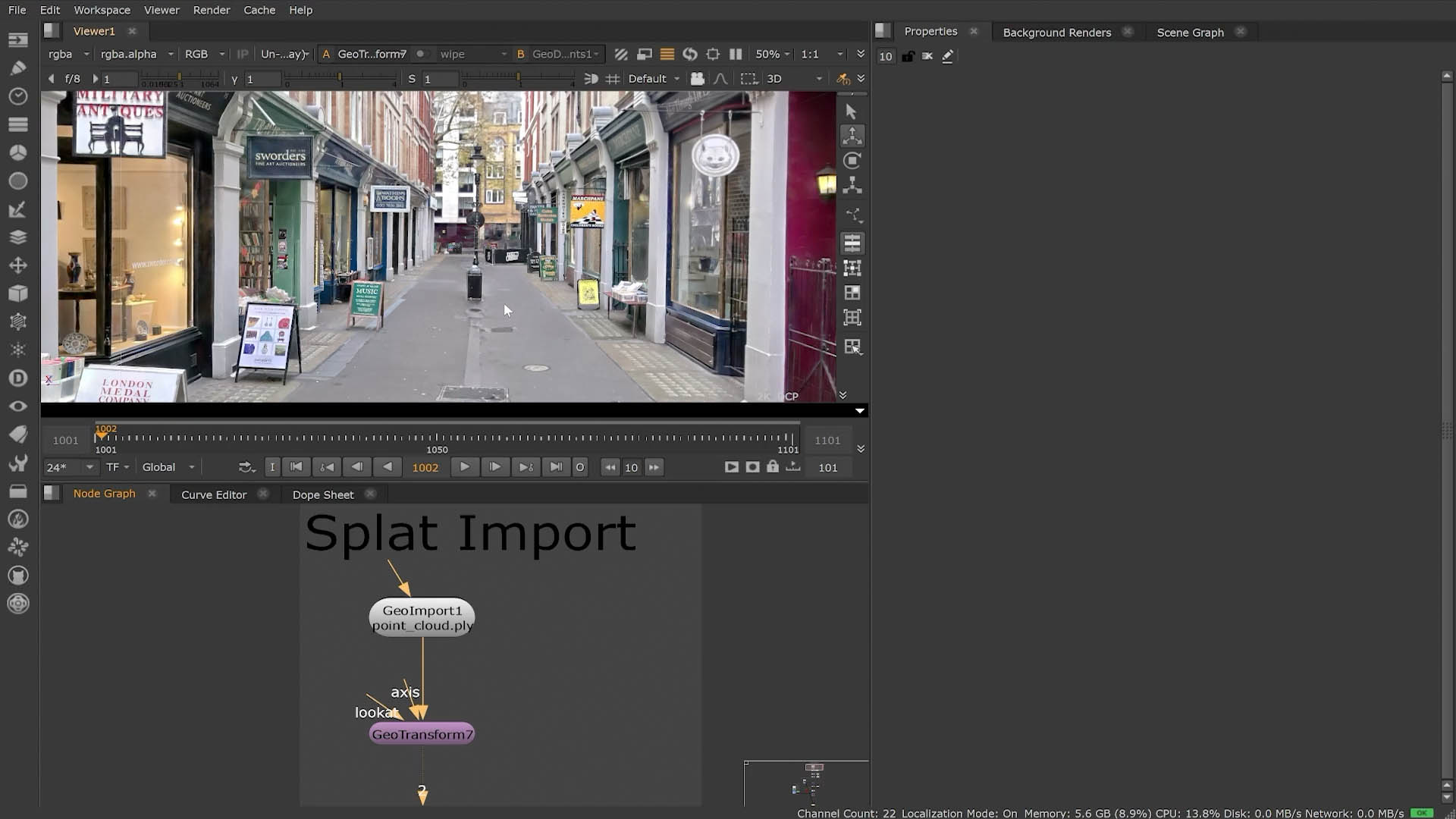
A Gaussian Splat is a fundamental rendering primitive used in modern 3D reconstruction, neural rendering, and real-time graphics, especially popularised by 3D Gaussian Splatting (3DGS) in 2023. It represents a scene not as polygons or voxels, but as thousands to millions of tiny 3D Gaussian blobs, each one a soft, elliptical “splat” in space that carries colour, opacity, and shape information.
This move provides a nice seismic shift in how VFX compositors and artists will be able to handle volumetric assets. Native Gaussian Splatting support brings one of the most disruptive new technologies in graphics directly into the heart of production compositing. Long the domain of academic papers and standalone viewers, splats can now be treated as first-class 3D citizens inside NUKE’s rebuilt 3D system, imported, transformed, masked, merged, rendered, and graded just like any other asset.
This update arrives at a moment when Gaussian Splatting has effectively overtaken NeRFs (Neural Radiance Fields) as the go-to technique for fast, flexible volumetric scene reconstruction. Where NeRFs offered beautiful results but punishing render times, splats deliver NeRF-level fidelity at real-time framerates, along with direct editability, something NeRFs could never really natively offer. Studios have embraced splats for environment capture, virtual production, and rapid on-set reconstruction because they provide the holy grail: fast training, instantaneous viewport feedback, and the ability to work with dense, photorealistic volumes without the overhead of traditional meshing. Bringing this into NUKE means artists can now work with these assets in context, without round-tripping to external tools.
In NUKE 17.0, splats can be imported just like geometry using the new GeoImport or GeoReference nodes, supporting both .ply and .splat formats. Most splats land in your Nuke scene with a neutral orientation, requiring a quick rotation using a GeoTransform, (which now behaves much more like transforming a traditional scene asset). From that point on, the splat behaves as a manipulable volumetric dataset inside NUKE’s unified 3D viewer.
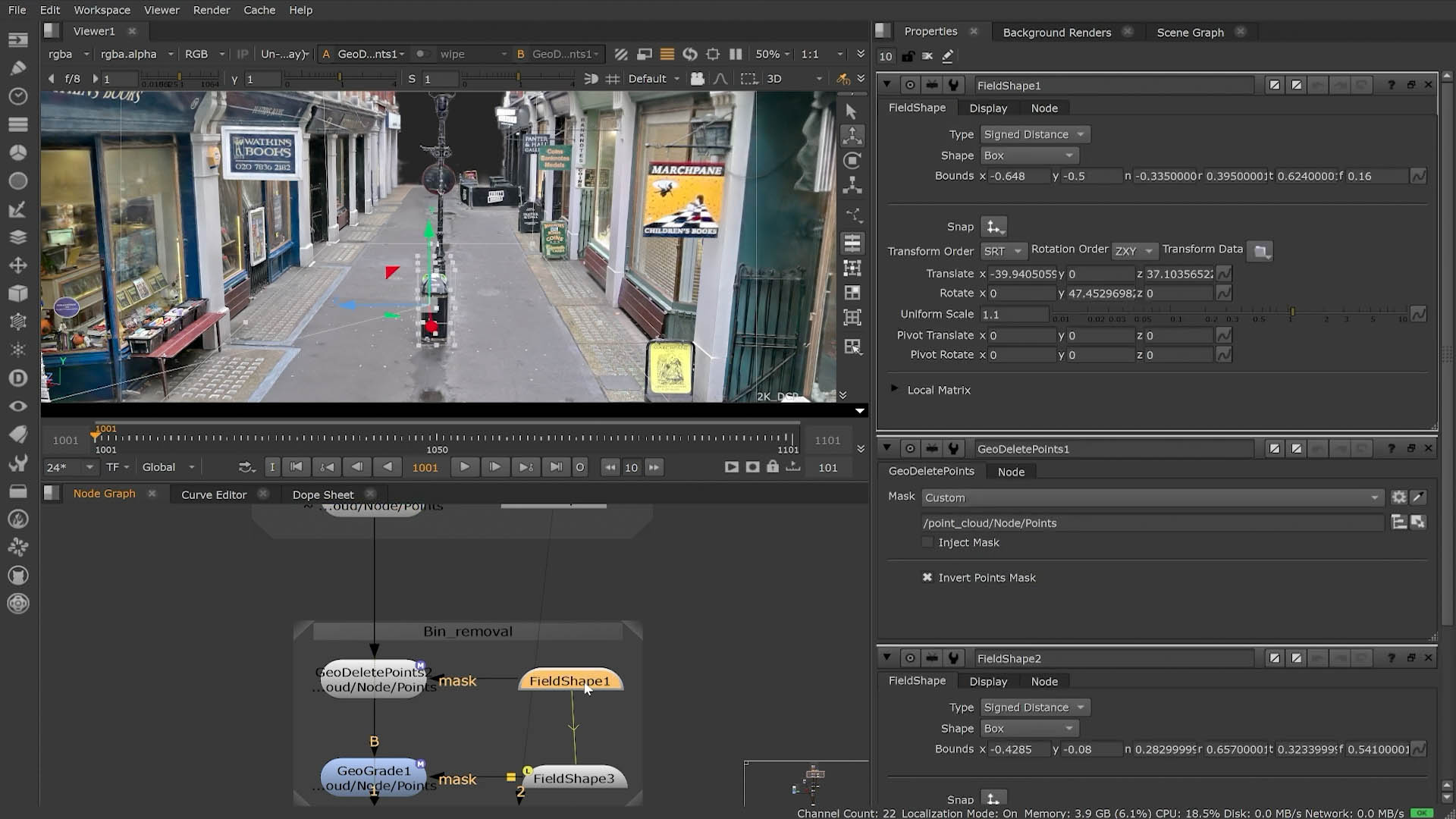
The breakthrough is not just import, it’s editability. NUKE exposes splat internals through new nodes in the Field System, letting artists work non-destructively with massive point clouds. Using a Field Shape node to define a volumetric mask, it’s now possible to isolate sections of a splat, navigate inside it, and perform fine-grained operations without leaving NUKE. In the demo, this was used to mask out and remove an intrusive bin from the captured scene, with field data feeding into the GeoEditPoints node for precise cleanup.
Cleaning, grading, and experimentation in 3D
A key tool in this workflow is the new GeoGrade node, which currently ships under the Labs banner. Labs nodes are experimental and so not guaranteed for production, but they represent Foundry’s direction toward a more painterly, data-aware workflow inside NUKE’s 3D space. By enabling all plugins, artists can access GeoGrade along with several prototype Field nodes, collectively suggesting a future where splat-based grading, relighting, density sculpting, and selective opacity shaping all happen directly inside the compositor.
The cleanup example is telling: after masking the bin area with a Field Shape, GeoGrade is used to smooth and refine the splat, creating a believable cleaned plate reconstruction. This is precisely the type of interactive, tactile operation that made Splatting a favourite in research circles and it is now available directly in NUKE’s production toolchain.
Merging and compositing splats as production elements
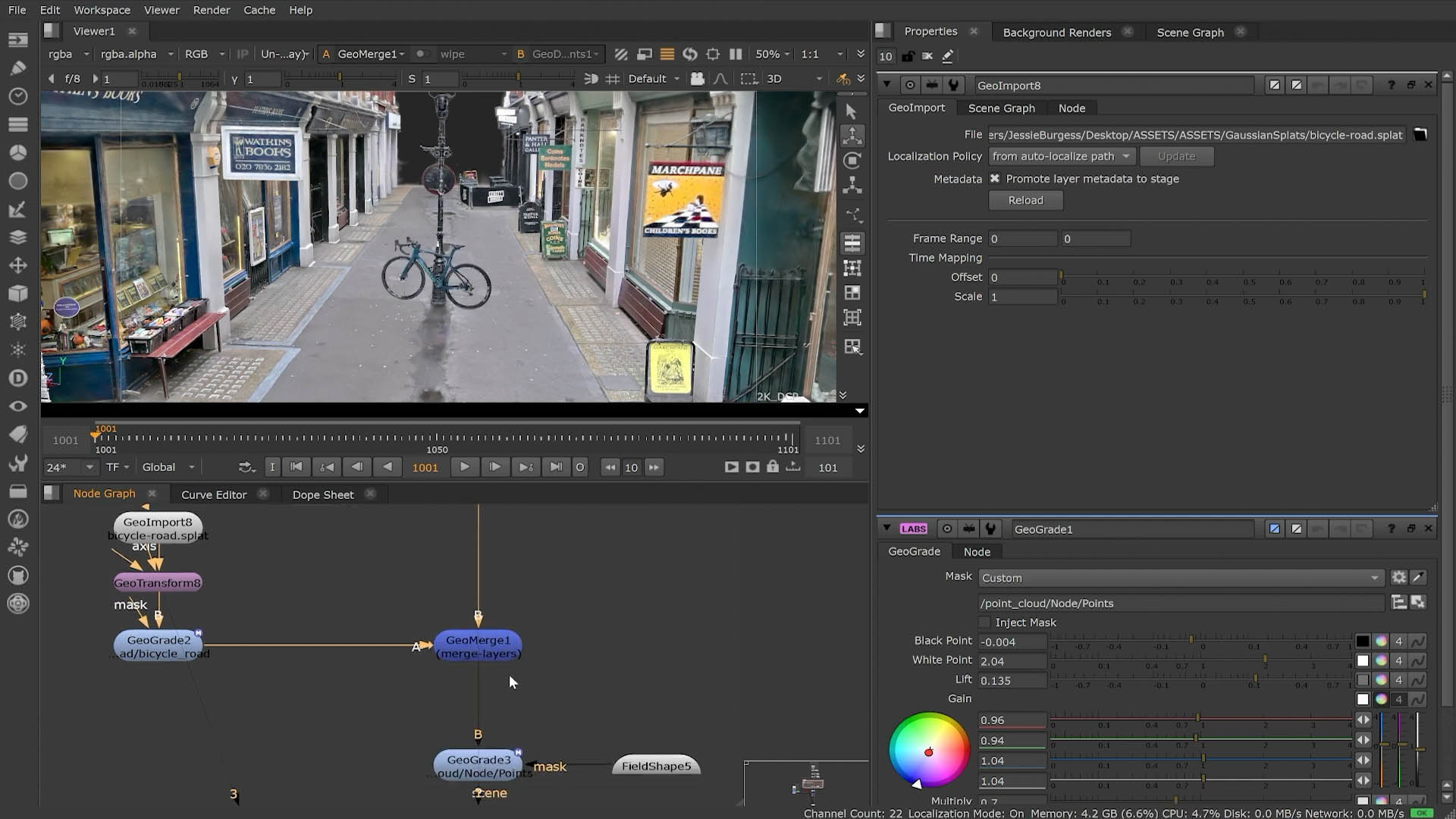
NUKE 17.0 doesn’t treat splats as monolithic captures; you can merge multiple splat scenes with GeoMerge. In the example above, a bike.splat is placed into the street scene, positioned with GeoTransform, then subtly grounded with a GeoGrade-based shadow. The ability to combine splats like layers in a compositing workflow opens up new possibilities for rapid environment augmentation, set extension, and previs.
To bring splats into 2D workflows, Foundry has added a bespoke SplatRender node. With a standard Camera feeding it, artists can render splats with depth, motion blur, and variable density. The render outputs integrate cleanly into NUKE’s 2D stack, meaning a splat can now be treated exactly like a matte painting, a CG render pass, or a projection plate. In the demo shot, the rendered splat becomes the background layer, merged with 2D elements to complete the composite.
NeRFs were revolutionary, but Gaussian Splatting has proven to be revolutionary and usable. With NUKE 17.0 bringing splats into the compositing pipeline, The Foundry moves splats move from research curiosity to everyday VFX tool, editable, mergeable, maskable, renderable, and fully integrated.